Seaborn plot တွင် axis labels များကို မည်သို့ပြောင်းလဲနည်း (ဥပမာများဖြင့်)
အဏ္ဏဝါကွက်တစ်ခုတွင် ဝင်ရိုးတံဆိပ်များကို ပြုပြင်ရန် နည်းလမ်းနှစ်ခုရှိသည်။
ပထမနည်းလမ်းမှာ အောက်ပါ syntax ကိုအသုံးပြုသည့် ax.set() လုပ်ဆောင်ချက်ကို အသုံးပြုရန်ဖြစ်သည်။
ax. set (xlabel=' x-axis label ', ylabel=' y-axis label ')
ဒုတိယနည်းလမ်းမှာ အောက်ပါ syntax ကိုအသုံးပြုသည့် matplotlib လုပ်ဆောင်ချက်များကို အသုံးပြုရန်ဖြစ်သည်။
 plt. xlabel (' x-axis label ')
plt. ylabel (' y-axis label ')
အောက်ဖော်ပြပါ ဥပမာများသည် ဤနည်းလမ်းတစ်ခုစီကို လက်တွေ့အသုံးချနည်းကို ပြသထားသည်။
နည်းလမ်း 1- ax.set() ကို အသုံးပြု၍ ဝင်ရိုးအညွှန်းများကို ပြောင်းပါ
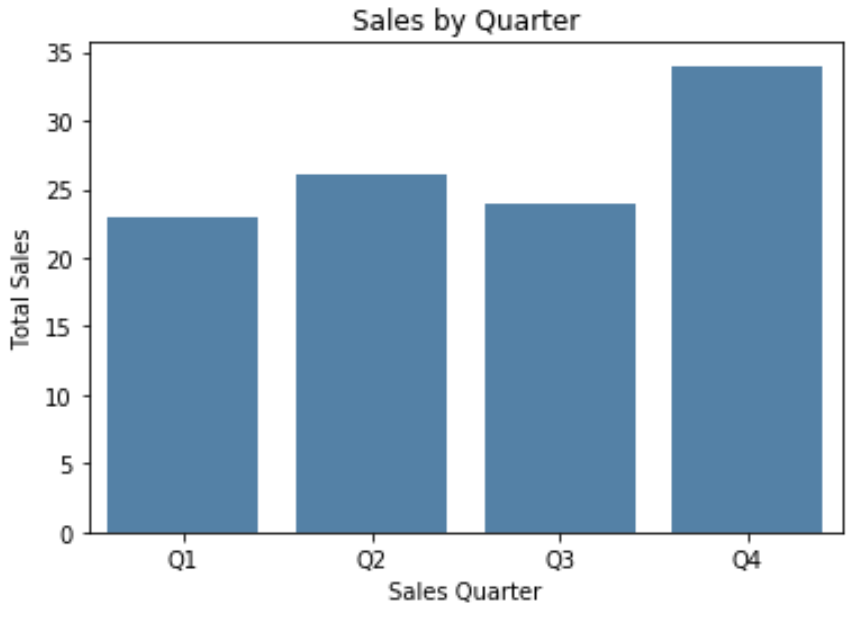
အောက်ဖော်ပြပါ ကုဒ်သည် Seaborn barplot ဖန်တီးနည်းကို ပြသပြီး ဝင်ရိုးအညွှန်းများကို သတ်မှတ်ရန် ax.set() ကို အသုံးပြုပါ။
 import pandas as pd
import seaborn as sns
import matplotlib. pyplot as plt

#create some fake data
df = pd. DataFrame ({' quarter ': ['Q1', 'Q2', 'Q3', 'Q4'],
                   ' sales ': [23, 26, 24, 34]})

#create seaborn barplot
ax = sns. barplot (x=' quarter ', y=' sales ',
                 data = df,
                 color=' steelblue ')

#specfiy axis labels
ax. set (xlabel=' Sales Quarter ',
       ylabel=' Total Sales ',
       title=' Sales by Quarter ')

#display barplot
plt. show ()
နည်းလမ်း 2- Matplotlib လုပ်ဆောင်ချက်များကို အသုံးပြု၍ ဝင်ရိုးအညွှန်းများကို ပြောင်းပါ။
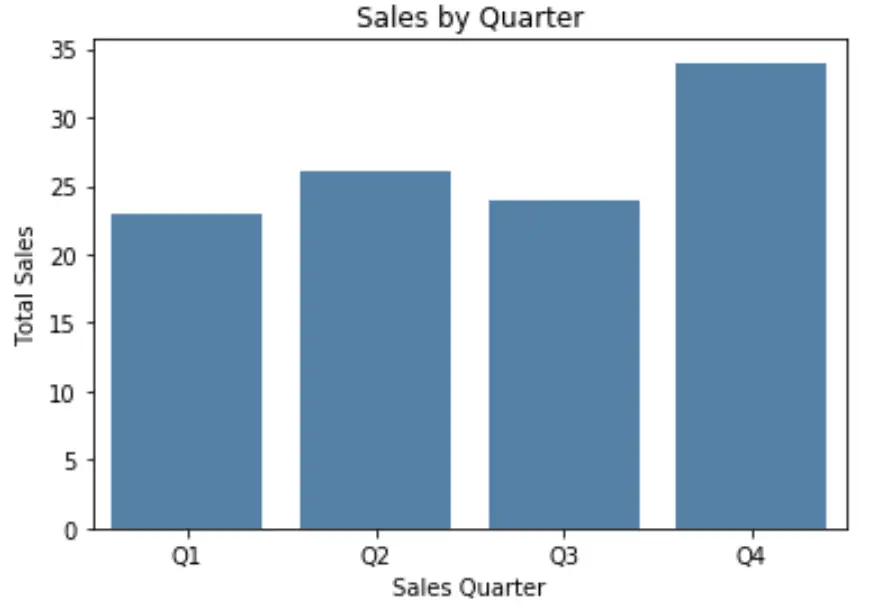
အောက်ဖော်ပြပါ ကုဒ်သည် Seaborn barplot ဖန်တီးနည်းနှင့် ဝင်ရိုးအညွှန်းများကို သတ်မှတ်ရန် matplotlib လုပ်ဆောင်ချက်များကို အသုံးပြုသည်-
 import pandas as pd
import seaborn as sns
import matplotlib. pyplot as plt

#create some fake data
df = pd. DataFrame ({' quarter ': ['Q1', 'Q2', 'Q3', 'Q4'],
                   ' sales ': [23, 26, 24, 34]})

#create seaborn barplot
ax = sns. barplot (x=' quarter ', y=' sales ',
                 data = df,
                 color=' steelblue ')

#specify axis labels
plt. xlabel (' Sales Quarter ')
plt. ylabel (' Total Sales ')
plt. title (' Sales by Quarter ')

#display barplot
plt. show ()
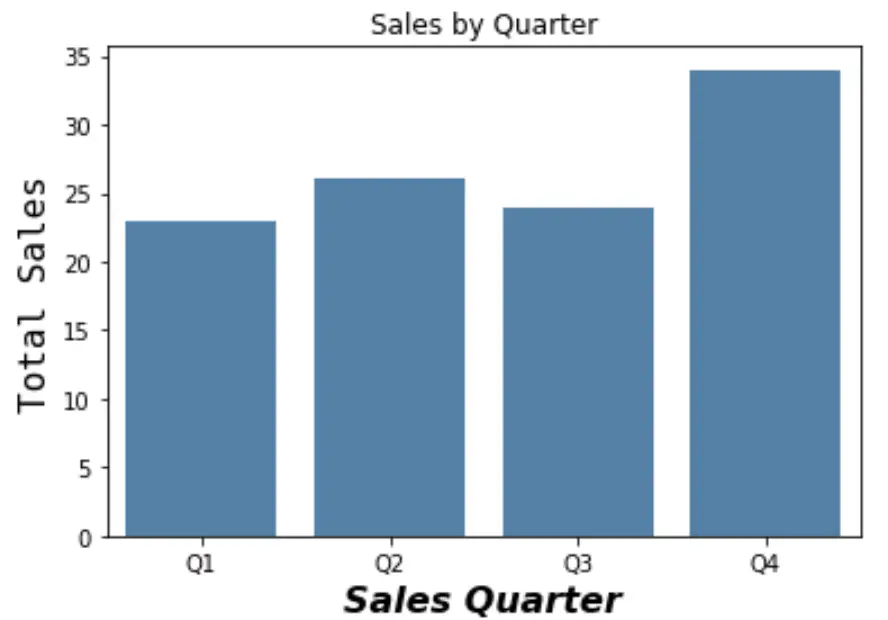
ဤနည်းလမ်းကိုအသုံးပြု၍ ဖောင့်အရွယ်အစား၊ ဖောင့်စတိုင်၊ ဖောင့်မိသားစုနှင့် အခြားဖောင့်အင်္ဂါရပ်များကို သင်သတ်မှတ်နိုင်သည်-
 #specify axis labels
plt. xlabel (' Sales Quarter ', size= 16 , fontstyle=' italic ', weight= 900 )
plt. ylabel (' Total Sales ', size= 16 , family=' minivan ')
plt. title (' Sales by Quarter ')

#display barplot
plt. show ()
ဝင်ရိုးအညွှန်းများပေါ်ရှိ ဖောင့်ကို စိတ်ကြိုက်ပြင်ဆင်နိုင်သော နည်းလမ်းအပြည့်အစုံအတွက် matplotlib စာရွက်စာတမ်း ကို ကိုးကားပါ။
စာရေးသူအကြောင်း

Benjamin Anderson
မင်္ဂလာပါ၊ ကျွန်ုပ်သည် အငြိမ်းစား စာရင်းအင်း ပါမောက္ခ ဘင်ဂျမင်ဖြစ်ပြီး သီးသန့် Statorials ဆရာအဖြစ် လှည့်ပတ်ပါသည်။ စာရင်းဇယားနယ်ပယ်တွင် ကျယ်ပြန့်သောအတွေ့အကြုံနှင့် ကျွမ်းကျင်မှုနှင့်အတူ၊ Statorials မှတစ်ဆင့် ကျောင်းသားများကို ခွန်အားဖြစ်စေရန်အတွက် ကျွန်ုပ်၏အသိပညာကို မျှဝေလိုပါသည်။ ပိုသိတယ်။