Seaborn boxplot တွင် အရောင်များကို ထိန်းချုပ်နည်း
အဏ္ဏဝါဘောက်ကွက်များ၏ အရောင်များကို ထိန်းချုပ်ရန် အောက်ပါနည်းလမ်းများကို သင်အသုံးပြုနိုင်ပါသည်။
နည်းလမ်း 1- တိကျသောအရောင်ကိုသုံးပါ။
sns. boxplot (x=' group_var ', y=' values_var ', data=df, color=' red ')
နည်းလမ်း 2- တိကျသောအရောင်များစာရင်းကို အသုံးပြုပါ။
 my_colors = {' group1 ': ' purple ', ' group2 ': ' pink ', ' group3 ': ' gold '}

sns. boxplot (x=' group_var ', y=' values_var ', data=df, palette=my_colors)
နည်းလမ်း 3- သီးခြားအုပ်စုတစ်ခုကို မီးမောင်းထိုးပြပါ။
 my_colors = {x: ' pink ' if x == ' group2 ' else ' gray ' for x in df. group . single ()}

sns. boxplot (x=' group_var ', y=' values_var ', data=df, palette=my_colors)
နည်းလမ်း 4- Seaborn Color Palette ကိုသုံးပါ။
sns. boxplot (x=' group_var ', y=' values_var ', data=df, palette=' Greens ')
အောက်ပါဥပမာများသည် မတူညီသောအသင်းသုံးသင်းမှ ဘတ်စကက်ဘောကစားသမားများမှ ရမှတ်များကိုပြသသည့် အောက်ပါပန်ဒါ DataFrame ဖြင့် လက်တွေ့တွင် နည်းလမ်းတစ်ခုစီကို အသုံးပြုနည်းကို ပြသသည်-
 import pandas as pd

#createDataFrame
df = pd. DataFrame ({' team ': ['A', 'A', 'A', 'A', 'A', 'B', 'B', 'B',
                            'B', 'B', 'C', 'C', 'C', 'C', 'C'],
                   ' points ': [3, 4, 6, 8, 9, 10, 13, 16, 18, 20, 8, 9, 12, 13, 15]})

#view head of DataFrame
print ( df.head ())

  team points
0 to 3
1 to 4
2 to 6
3 to 8
4 to 9
ဥပမာ 1- သီးခြားအရောင်ကိုသုံးပါ။
အဖွဲ့တစ်ခုစီအတွက် အမှတ်များဖြန့်ဝေမှုကို မြင်သာစေရန်နှင့် boxplot တစ်ခုစီအတွက် အနီရောင် ကိုအသုံးပြုရန် အောက်ပါကုဒ်သည် ကွက်ကွက်ကွက်များဖန်တီးနည်းကို ပြသသည်-
 import seaborn as sns

#create boxplots and use red for each box
sns. boxplot (x=' team ', y=' points ', data=df, color=' red ')
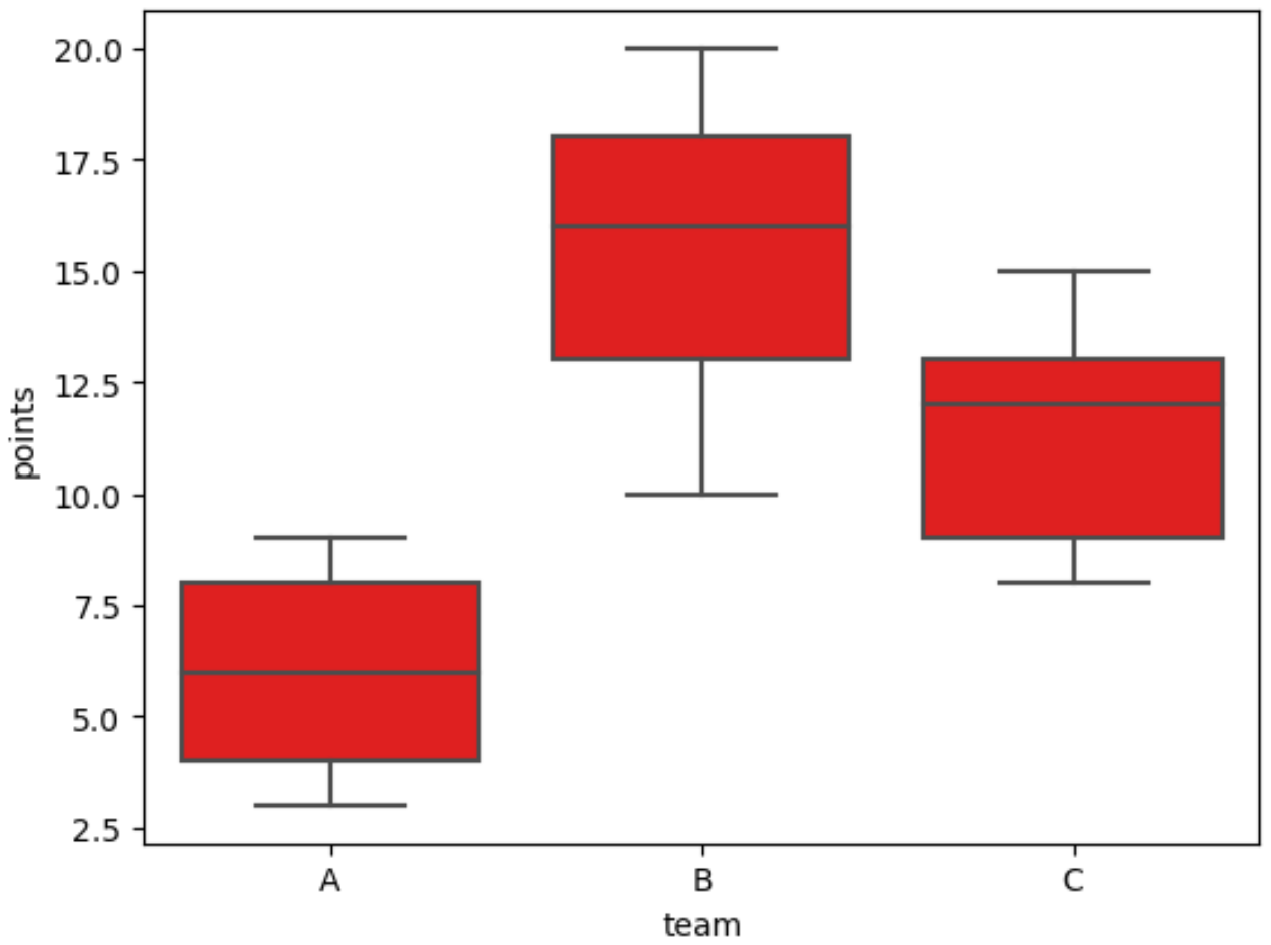
ကွက်လပ်တစ်ခုစီတွင် အနီရောင်ပါရှိကြောင်း သတိပြုပါ။
ဥပမာ 2- သီးခြားအရောင်များစာရင်းကို အသုံးပြုပါ။
အဖွဲ့တစ်ခုစီအတွက် အမှတ်များ ဖြန့်ဝေမှုကို မြင်သာစေရန်နှင့် ခရမ်းရောင် ၊ ပန်းရောင် နှင့် ရွှေရောင် များကို အသုံးပြုရန် အောက်ပါကုဒ်သည် ပုံးကွက်များ ဖန်တီးနည်းကို ပြသသည် ။
 import seaborn as sns

#specify colors to use
my_colors = {' A ': ' purple ', ' B ': ' pink ', ' C ': ' gold '}

#create boxplots using specific colors for each team
sns. boxplot (x=' team ', y=' points ', data=df, palette=my_colors)
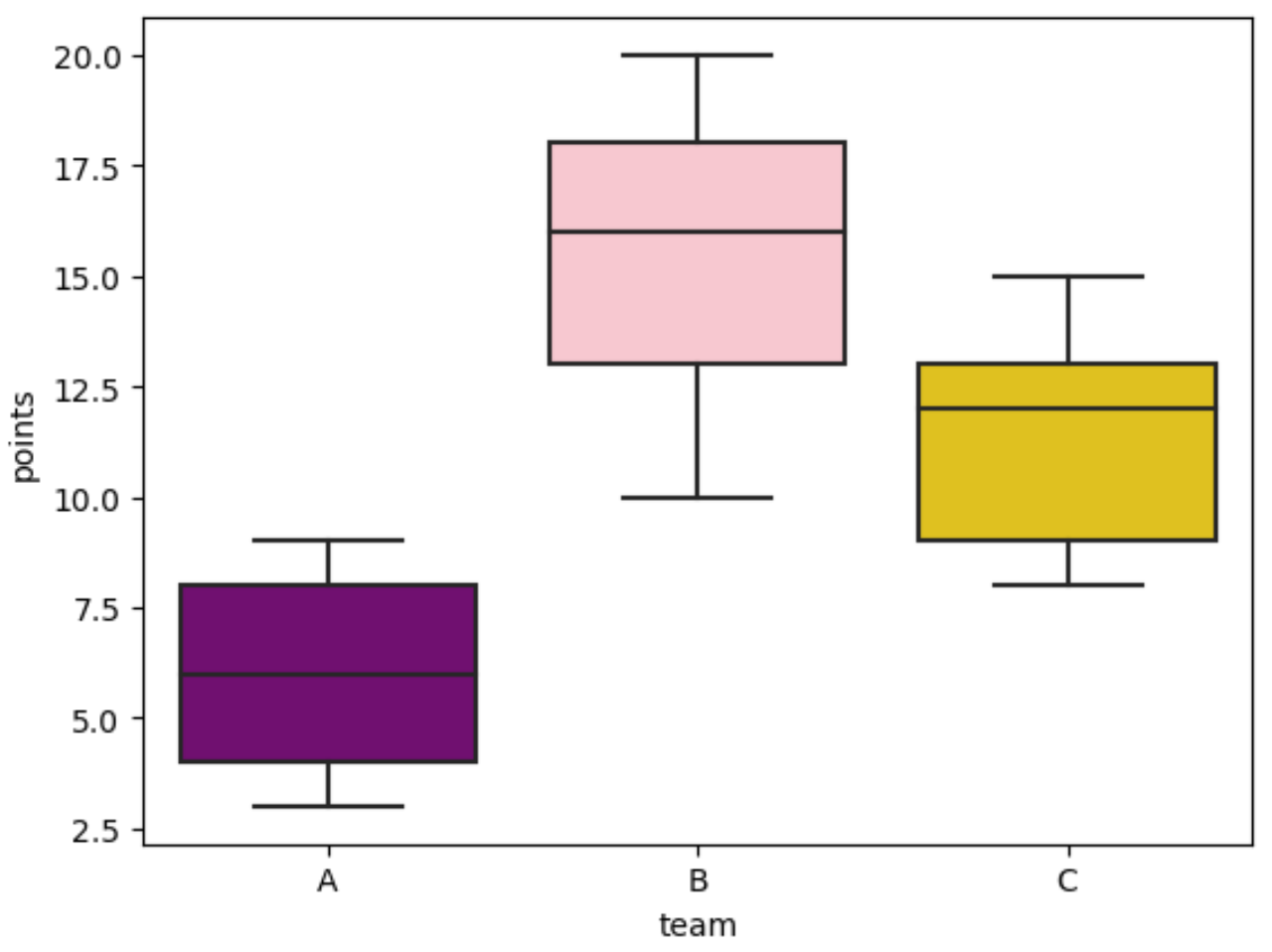
boxplot တစ်ခုစီတွင် my_colors ဟုခေါ်သော အဘိဓာန်တွင် ကျွန်ုပ်တို့သတ်မှတ်ထားသော အရောင်ရှိသည်ကို သတိပြုပါ။
ဥပမာ 3- သီးခြားအုပ်စုတစ်ခုကို မီးမောင်းထိုးပြပါ။
အောက်ပါကုဒ်သည် Team B ၏ boxplot အား ပန်းရောင်ဖြင့် မီးမောင်းထိုးပြပြီး အခြား boxplot အားလုံးကို မီးခိုးရောင်ဖြစ်အောင် ပြုလုပ်နည်းကို ပြသသည်-
 import seaborn as sns

#specify one group to highlight in pink
my_colors = {x: ' pink ' if x == ' B ' else ' gray ' for x in df. team . single ()}

#create boxplots and highlight team B
sns. boxplot (x=' team ', y=' points ', data=df, palette=my_colors)
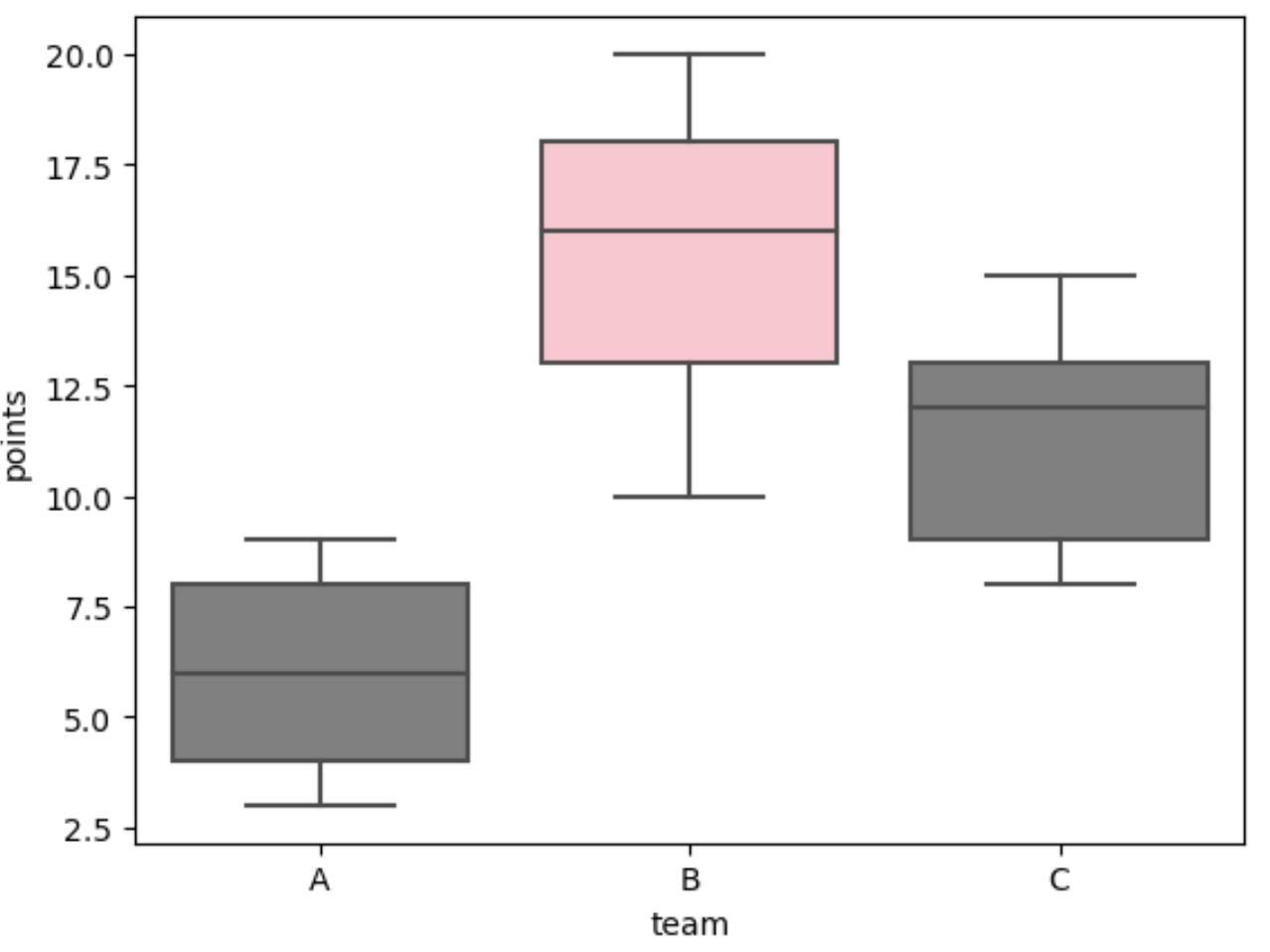
Team B ကို ပန်းရောင်ဖြင့် မီးမောင်းထိုးပြထားပြီး my_colors တွင် ကျွန်ုပ်တို့သတ်မှတ်ထားသည့်အတိုင်း အခြားကွက်လပ်များအားလုံး မီးခိုးရောင်ဖြစ်ကြောင်း သတိပြုပါ။
ဥပမာ 4- Seaborn Color Palette ကို အသုံးပြုခြင်း။
အောက်ဖော်ပြပါ ကုဒ်သည် ဘောက်စ်ကွက်လပ်ရှိ အကွက်တစ်ခုစီအတွက် မတူညီသော အစိမ်းရောင်အရိပ်များကို အသုံးပြုရန် Seaborn “Greens” ရောင်စုံ palette ကို အသုံးပြုပုံကို ပြသသည်-
 import seaborn as sns

#create boxplots and use 'Greens' color palette
sns. boxplot (x=' team ', y=' points ', data=df, palette=' Greens ')
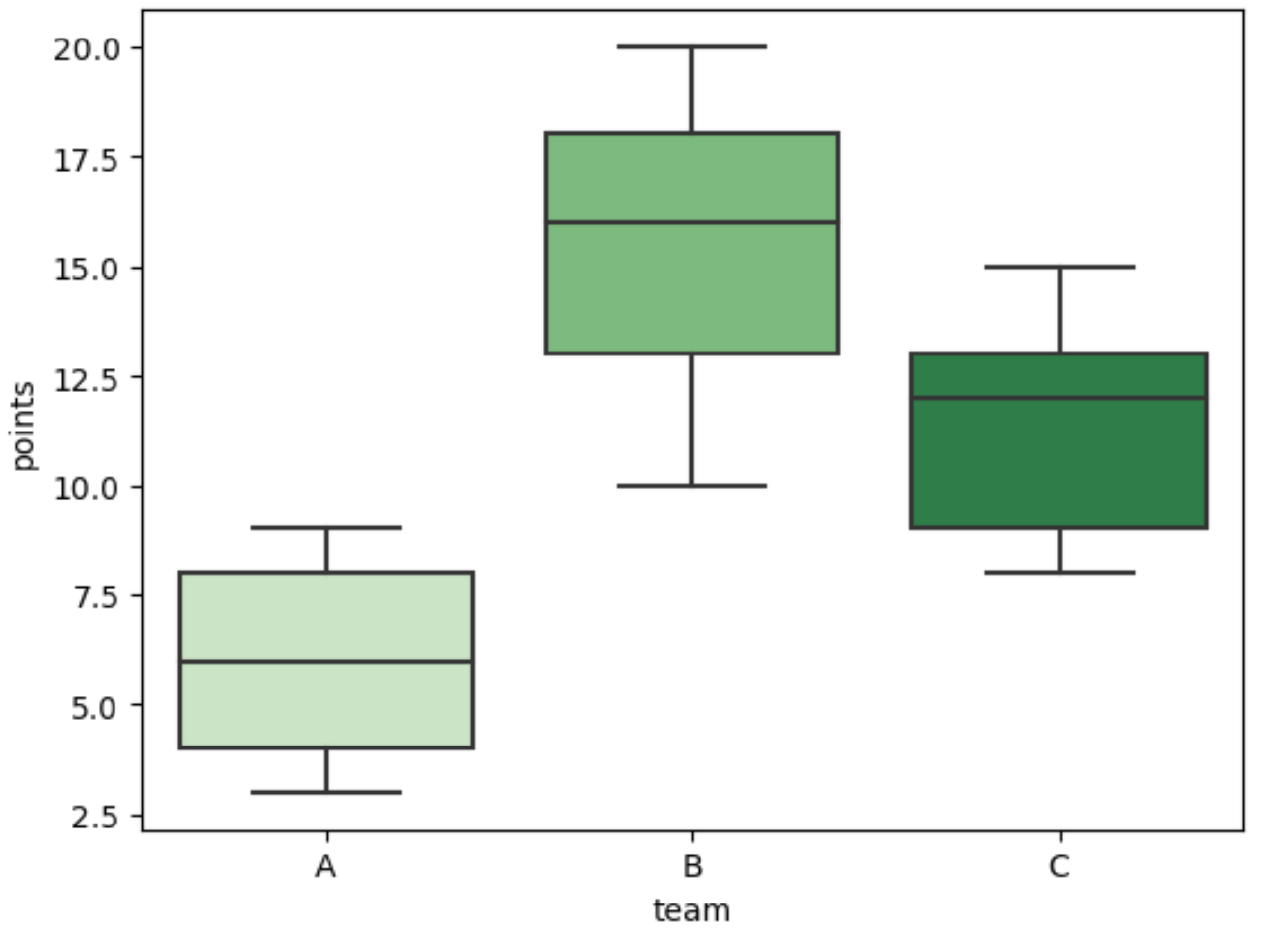
ကွက်လပ်တစ်ခုစီသည် စိမ်းလန်းသောအရိပ်တစ်ခုဖြစ်ကြောင်း သတိပြုပါ။
မှတ်ချက် – Seaborn ရောင်စုံ palettes စာရင်းအပြည့်အစုံကို ဤနေရာတွင် ရှာတွေ့နိုင်ပါသည်။
ထပ်လောင်းအရင်းအမြစ်များ
အောက်ဖော်ပြပါ သင်ခန်းစာများသည် ပင်လယ်မွေးတွင် အခြားဘုံလုပ်ဆောင်ချက်များကို မည်သို့လုပ်ဆောင်ရမည်ကို ရှင်းပြသည်-
Seaborn boxplot မှ outliers များကို မည်သို့ဖယ်ရှားနည်း
Seaborn တွင် ကော်လံအစုံအလင်ကို ဖန်တီးနည်း
Seaborn ရှိ x-axis ပေါ်ရှိ boxplot များကို မည်သို့မှာယူမည်နည်း။
စာရေးသူအကြောင်း

Benjamin Anderson
မင်္ဂလာပါ၊ ကျွန်ုပ်သည် အငြိမ်းစား စာရင်းအင်း ပါမောက္ခ ဘင်ဂျမင်ဖြစ်ပြီး သီးသန့် Statorials ဆရာအဖြစ် လှည့်ပတ်ပါသည်။ စာရင်းဇယားနယ်ပယ်တွင် ကျယ်ပြန့်သောအတွေ့အကြုံနှင့် ကျွမ်းကျင်မှုနှင့်အတူ၊ Statorials မှတစ်ဆင့် ကျောင်းသားများကို ခွန်အားဖြစ်စေရန်အတွက် ကျွန်ုပ်၏အသိပညာကို မျှဝေလိုပါသည်။ ပိုသိတယ်။