วิธีการพล็อตฮิสโตแกรมตามกลุ่มใน pandas
คุณสามารถใช้วิธีการต่อไปนี้เพื่อลงจุดฮิสโตแกรมตามกลุ่มใน DataFrame ของแพนด้า:
วิธีที่ 1: ลงจุดฮิสโตแกรมตามกลุ่มโดยใช้หลายแปลง
df[' values_var ']. hist (by=df[' group_var '])
วิธีที่ 2: ลงจุดฮิสโตแกรมตามกลุ่มโดยใช้จุดเดียว
 plt. hist (group1, alpha= 0.5 , label=' group1 ')
plt. hist (group2, alpha= 0.5 , label=' group2 ')
plt. hist (group3, alpha= 0.5 , label=' group3 ')
ตัวอย่างต่อไปนี้แสดงวิธีการใช้แต่ละวิธีในทางปฏิบัติกับ DataFrame ของแพนด้าต่อไปนี้ ซึ่งแสดงคะแนนที่ผู้เล่นบาสเก็ตบอลจากสามทีมทำคะแนนได้:
 import pandas as pd
import numpy as np

#make this example reproducible
n.p. random . seeds (1)

#createDataFrame
df = pd. DataFrame ({' team ': np.repeat ([' A ',' B ',' C '], 100 ),
                   ' points ': np. random . normal (loc= 20 , scale= 2 , size= 300 )})

#view head of DataFrame
print ( df.head ())

  team points
0 A 23.248691
1 A 18.776487
2 A 18.943656
3 A 17.854063
4 A 21.730815
ตัวอย่างที่ 1: พล็อตฮิสโตแกรมตามกลุ่มโดยใช้หลายพล็อต
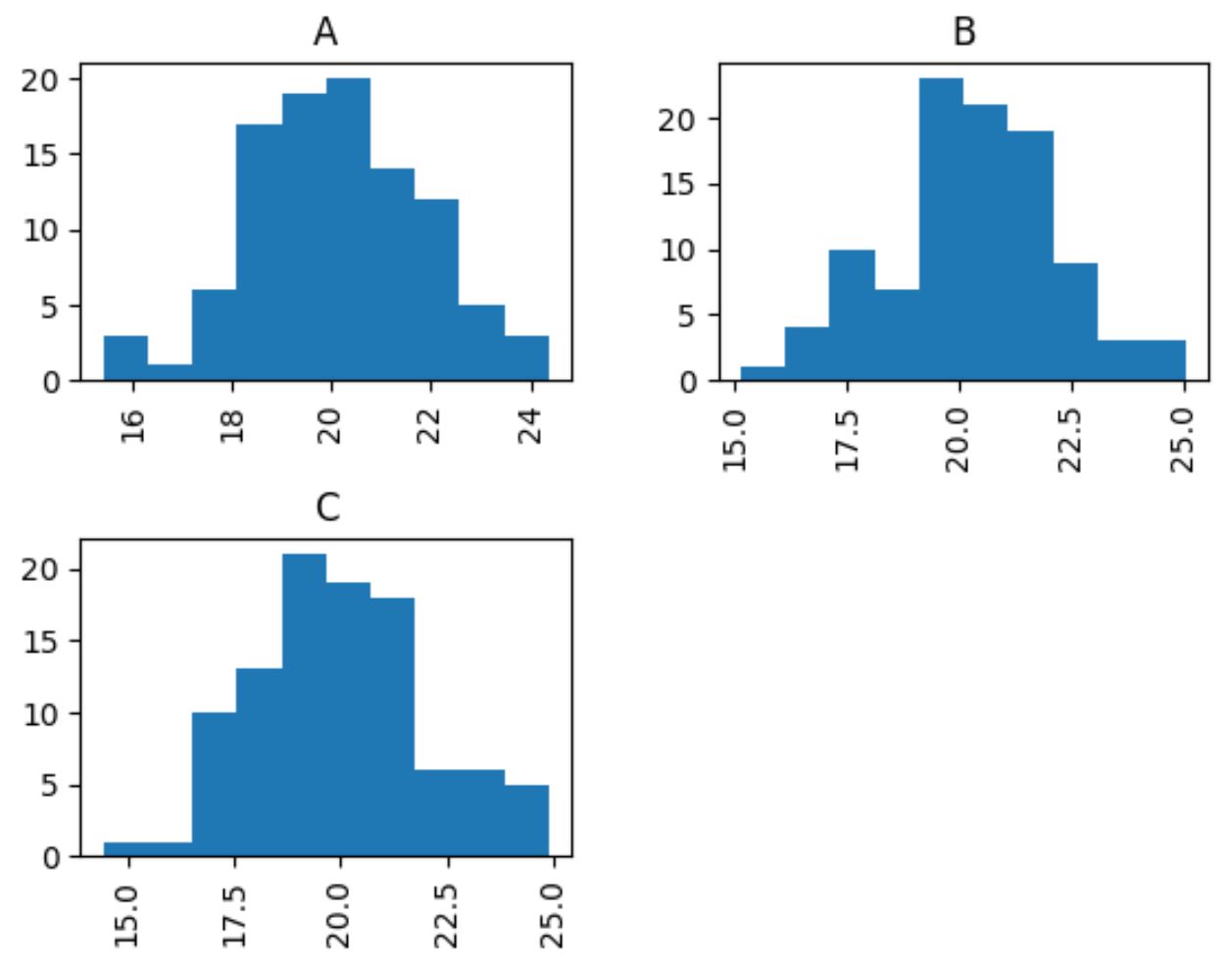
รหัสต่อไปนี้แสดงวิธีสร้างฮิสโตแกรมสามอันที่แสดงการกระจายคะแนนที่ผู้เล่นทำคะแนนจากแต่ละทีมในสามทีม:
 #create histograms of points by team
df[' points ']. hist (by=df[' team '])
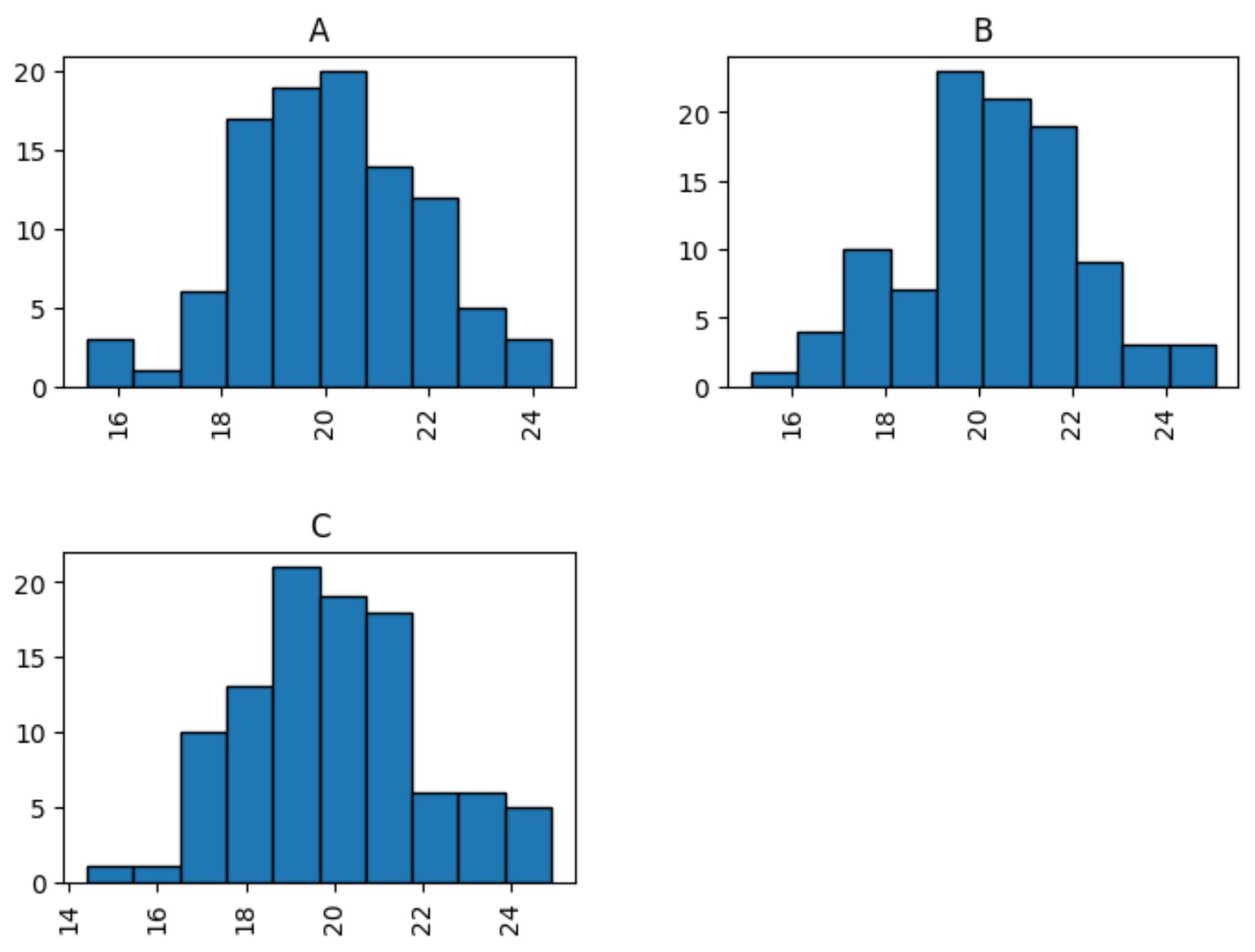
นอกจากนี้เรายังสามารถใช้อาร์กิวเมนต์ edgecolor เพื่อเพิ่มเส้นขอบให้กับแต่ละฮิสโตแกรม และอาร์กิวเมนต์ figsize เพื่อเพิ่มขนาดของแต่ละฮิสโตแกรมเพื่อให้มองเห็นได้ง่ายขึ้น:
 #create histograms of points by team
df[' points ']. hist (by=df[' team '], edgecolor=' black ', figsize = ( 8 , 6 ))
ตัวอย่างที่ 2: พล็อตฮิสโตแกรมตามกลุ่มโดยใช้พล็อตเดียว
รหัสต่อไปนี้แสดงวิธีสร้างฮิสโตแกรมสามอันและวางไว้บนพล็อตเดียวกัน:
 import matplotlib.pyplot as plt

#define points values by group
A = df. loc [df[' team '] == ' A ', ' points ']
B = df. loc [df[' team '] == ' B ', ' points ']
C = df. loc [df[' team '] == ' C ', ' points ']

#add three histograms to one plot
plt. hist (A, alpha= 0.5 , label=' A ')
plt. hist (B, alpha= 0.5 , label=' B ')
plt. hist (C, alpha= 0.5 , label=' C ')

#add plot title and axis labels
plt. title (' Points Distribution by Team ')
plt. xlabel (' Points ')
plt. ylabel (' Frequency ')

#add legend
plt. legend (title=' Team ')

#displayplot
plt. show ()
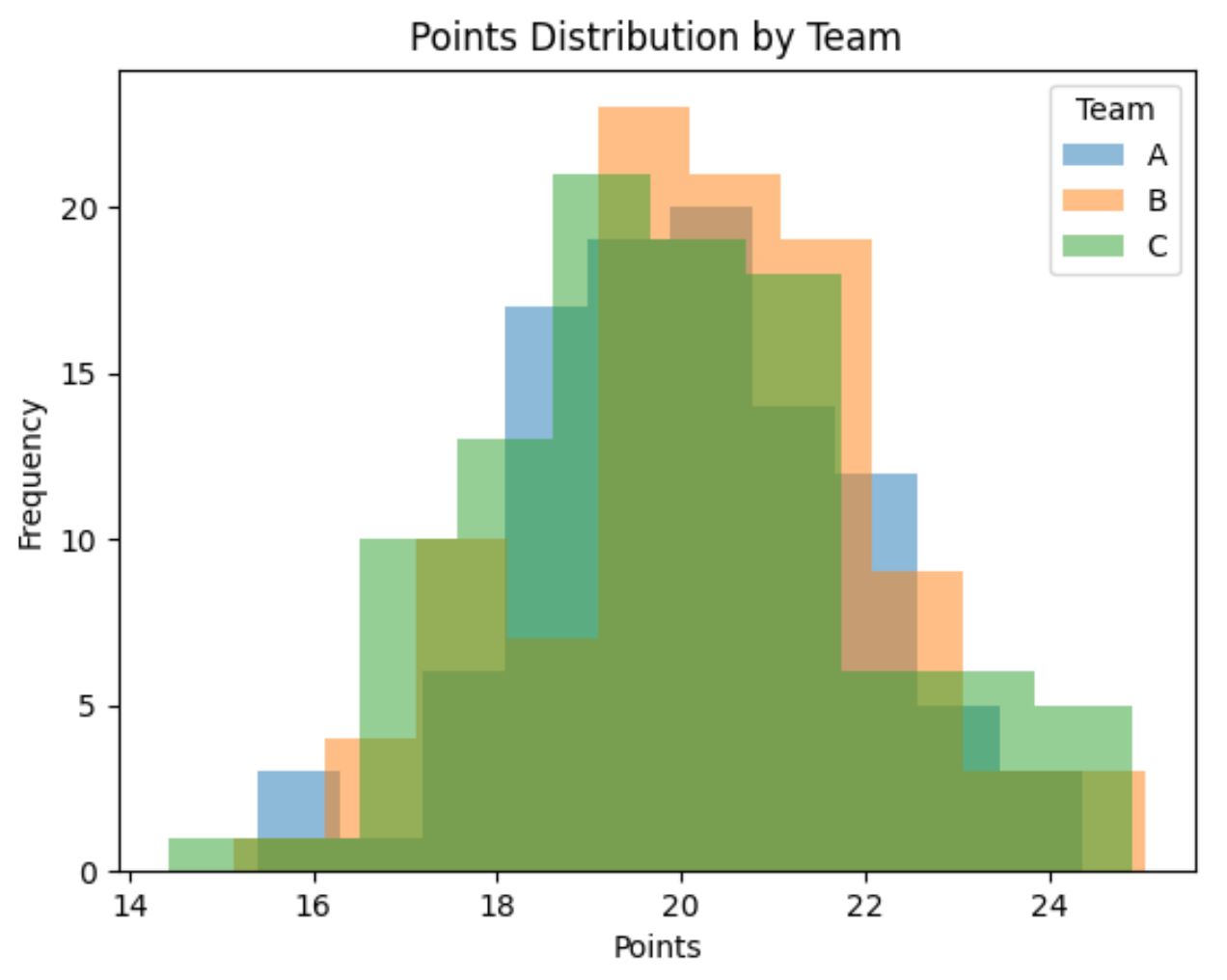
ผลลัพธ์ที่ได้คือพล็อตที่แสดงฮิสโตแกรมสามอันซ้อนกัน
หมายเหตุ : อาร์กิวเมนต์ อัลฟ่า ระบุความโปร่งใสของแต่ละฮิสโตแกรม ค่านี้สามารถอยู่ในช่วงตั้งแต่ 0 ถึง 1 ด้วยการตั้งค่านี้เท่ากับ 0.5 เราจะสามารถมองเห็นแต่ละฮิสโตแกรมที่ซ้อนทับได้ดีขึ้น
แหล่งข้อมูลเพิ่มเติม
บทช่วยสอนต่อไปนี้จะอธิบายวิธีสร้างแปลงทั่วไปอื่น ๆ ใน Python:
วิธีพล็อตหลายบรรทัดใน Matplotlib
วิธีสร้าง boxplot จาก Pandas DataFrame
วิธีลงจุดคอลัมน์ Pandas หลายคอลัมน์บนแผนภูมิแท่ง
เกี่ยวกับผู้แต่ง

ดร.เบนจามิน แอนเดอร์สัน
สวัสดี ฉันชื่อเบนจามิน ศาสตราจารย์สถิติเกษียณอายุแล้ว และผันตัวมาเป็นครูสอนสถิติโดยเฉพาะ ด้วยประสบการณ์และความเชี่ยวชาญที่กว้างขวางในสาขาสถิติ ฉันกระตือรือร้นที่จะแบ่งปันความรู้ของฉันเพื่อเสริมศักยภาพนักเรียนผ่าน Statorials. รู้เพิ่มเติม